



Ridiculously easy A/B Testing
Launch experiments and drive more website conversions, no matter your skill level. Create tests using URL redirects or our .
Install in minutes • Free 30–day trial • Cancel anytime
Trusted by over 449,000 websites worldwide


Launch your first A/B Test in minutes
Easy installation
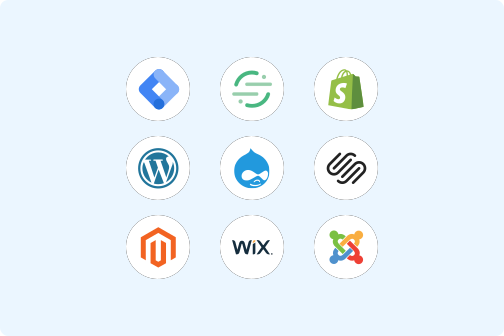
Start collecting traffic data with any of these methods:
- Adding a Crazy Egg code snippet to the webpage you want to test.
- Using a tag manager, like Google Tag Manager.
- Turning on one of our integrations with Wordpress, Wix, Squarespace, Shopify, and more.
Define Conversion Goals of any kind
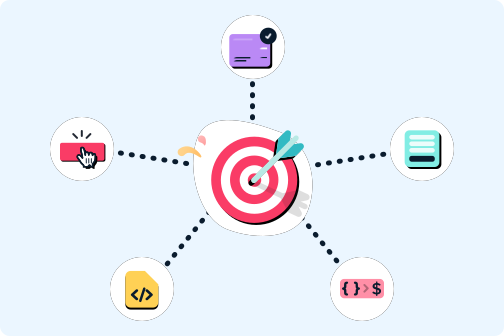
Quickly identify the goal of your experiment, with or without having to install code:
- Clicks on any button or link
- Landing on a certain page (ie. a confirmation page)
- Form submissions
- Triggering advertising pixel events on Google, Meta, or TikTok
- A custom Crazy Egg event code snippet
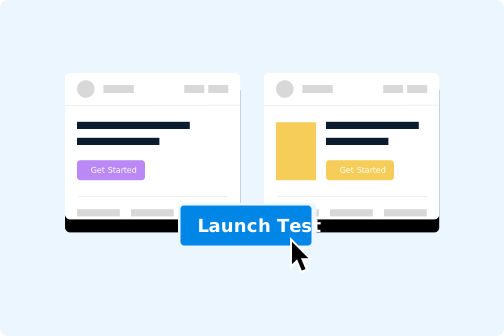
Automatically split page traffic
Distribute visitors between your page variants — using either manual settings, or our Multi-Arm Bandit Method to automatically shift towards the best-performing page designs.
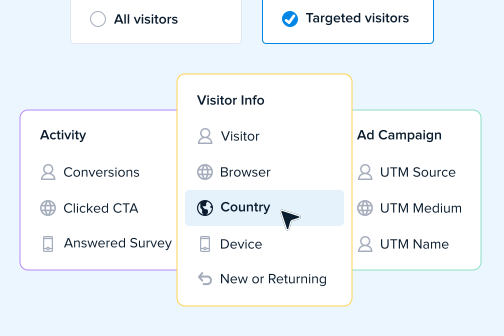
Target experiments by audience segment
Personalize your site for every visitor, with no limits on the number of audience filters:
- Match landing pages to ad campaigns & creative.
- Localize copywriting to each country.
- Remove friction for Returning visitors.
- Target offers & CTAs based on previous conversions.
Design new pages for testing,
in just clicks
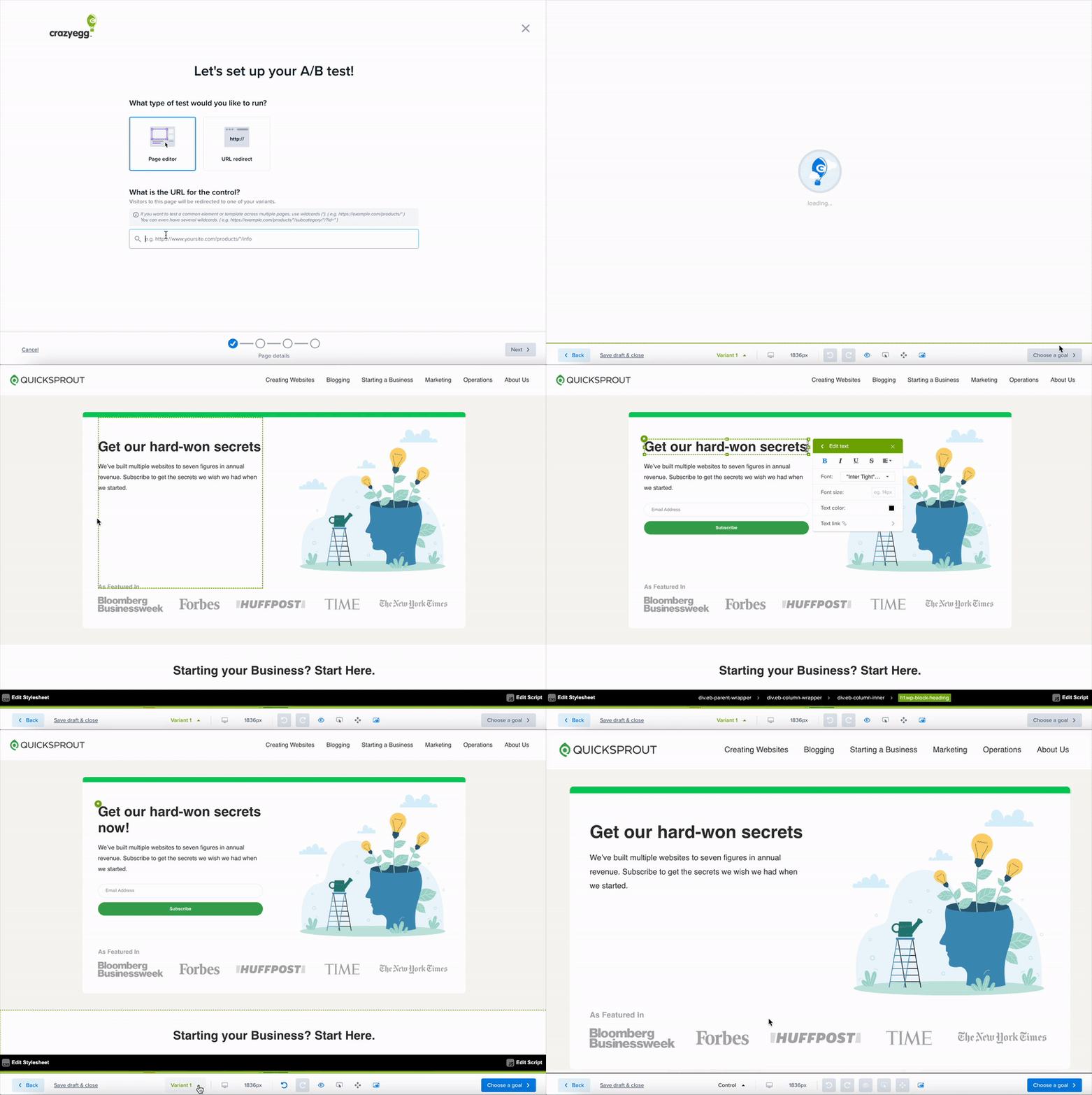
Set up a traditional URL redirect to send traffic to an existing page — or use our Visual
Page Editor to quickly design new pages for testing.
-

Click to edit
-

Find the right source code
-

Modify for any device
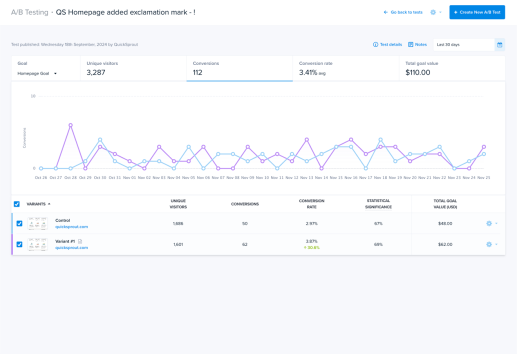
Measure conversion performance over time
Visualize how conversions trended over time, all on one simplified dashboard.
See conversion rates and statistical significance for each of your page designs. Compare multiple Conversion Goals to see how your test performed on other indicators.
See how visitors interact with your page designs
Go beyond the numbers — with automatically-generated Website Heatmaps and Session Recordings for each page design.
Identify which content drew the most user engagement, and solve barriers that are preventing conversions.

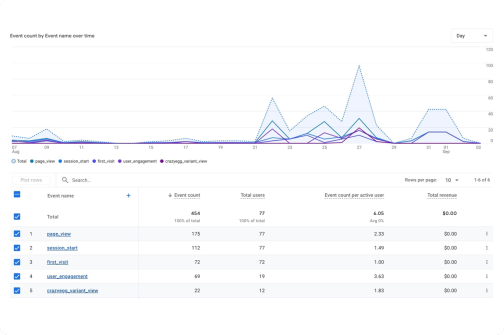
Analyze more Dimensions and Metrics in Google Analytics
Crazy Egg's native integration sends pageview and conversion data to your Google Analytics 4 account.
Compare all the detailed engagement metrics and dimensions that GA typically provides, segmented for each of your A/B Tests and page variants.
-
What is Crazy Egg's A/B Testing best for?
Crazy Egg’s A/B Testing is ideal for marketers who need a fast-to-setup, easy-to-use experimentation tool for Conversion Rate Optimization (CRO) work.
Crazy Egg can perform A/B Testing after implementing just a small code snippet directly on the website, requiring no other technical systems integration. This often takes just a few minutes, so marketers can quickly start running experiments without much technical expertise.
Plans also include Behavioral Analytics capabilities like Heatmaps, Session Recordings, and AI Analysis. These help marketers understand what drives experiments to perform, and iterate quickly without needing to configure advanced statistical models.
Users can try Crazy Egg by starting a 30–day free trial, no demo required.
-
Does it have a Visual Editor (WYSIWYG)? Do I need to know how to code to make changes?
Yes, it includes a Visual Page Editor (WYSIWYG) that enables non-technical website managers to make copywriting & design changes to their page variants. Without knowing how to code, users can change: text, text format, images & video, move elements, hide elements, and more.
Users with some coding knowledge can also edit the HTML, CSS, or Javascript for specific elements in the Visual Editor without redoing the entire page, expanding what’s possible with the Editor.
-
Does it support split URL or redirect testing?
Yes, A/B Testing supports split URL and redirect testing (in addition to tests with the Visual Page Editor).
-
How do I install/implement Crazy Egg’s A/B Testing? How long does it take?
You can install Crazy Egg by copying and pasting one piece of code into your website settings (at the top of the section).
Find this piece of code by logging into your account, then clicking “Install Crazy Egg” in the sidebar. No technical knowledge required. Doing this takes just three minutes.
Alternately, you can install Crazy Egg using one of these supported integrations:
- Drupal
- Google Tag Manager
- Joomla
- Magento
- Segment
- Shopify
- Squarespace
- Wix
- WordPress
Crazy Egg’s lightweight script is optimized to minimize impact on your site speed. It loads asynchronously, so it won’t delay other critical page resources. This helps keep the visitor experience smooth while you gather insights into user behavior.
-
How much training does it take?
We’ve designed Crazy Egg to be easy-to-use, even for non-technical users. It takes much less time to learn than commonly-used platforms like Google Analytics. Most marketers should be able to use it without dedicated training.
For teams who are still interested in formal training sessions, Crazy Egg offers an Onboarding & Training Package with a dedicated Crazy Egg expert.
-
Can I target AB Tests by audience segment?
Yes, you can target experiments by applying one (or more) audience filters. These filters can be combined using "and/or" logic, so you can use them in creative ways.
Targetable audience segments include: device type, country, UTM parameters, traffic source, new vs. returning, previous pages visited, conversion status, and more.
-
Does A/B Testing integrate with Google Analytics 4 (GA4)?
Yes, A/B Testing has a native integration with Google Analytics 4. This integration sends a custom event to GA4 when a page variant is viewed by a site visitor.
As a result, you can compare GA4 engagement metrics for each experiment and page variant. You can also perform additional segmentation for any dimensions within your GA4 properties.
-
Does A/B Testing integrate with AI tools (ChatGPT, Gemini, Copilot, etc)?
While A/B Testing doesn’t have a direct integration with AI tools, Crazy Egg includes the ability to automatically generate Heatmap reports for any A/B Testing variant. Heatmaps not only include AI Analysis, but also the ability to export page data in an AI-optimized format to any LLM.
By using AI tools to analyze data from Heatmaps, they’re able to go far deeper than the reporting usually available in A/B Testing tools.
-
How does Crazy Egg track conversions?
Crazy Egg allows users to track conversions with multiple methods, with or without adding additional code.
After initial installation, users can configure conversion events by:
- Detecting clicks on specific buttons, links, or elements
- Detecting submissions on a specific form
- Measuring when users reach a certain page (such as a Thank You or Confirmation page)
- Triggering a Google, TikTok, or Meta ad pixel
- Triggering an eCommerce platform event
- Triggering a Custom HTML tag (recommended for Tag Manager users)
-
What’s the unit of randomization: user, session, or pageviews?
A/B Testing randomizes based on unique users. Once they enter an A/B Test, a user will see the same page variant every time they visit (until the test ends).
-
Can we share and review A/B Tests before launching?
Yes. You can send a preview of A/B Test page variant designs to your colleagues via a Share Link, without requiring them to log into Crazy Egg.
In addition, you can send the results data of an A/B Test via a unique Share Link, without requiring them to log in.
-
Can I edit settings during an active A/B test?
Yes, you can edit any settings of an A/B Test while it is still active. This includes:
- Add new page variants
- Modify existing page variants
- Disable existing page variants
- Change the primary conversion event
- Adjust the traffic split
-
What tools does A/B Testing include to analyze behavior and recommend page optimizations?
Crazy Egg’s A/B Testing tool includes access to multiple complementary features that analyze engagement on specific page variants, identify Conversion Rate Optimization opportunities, and recommend page optimizations. In particular:
- Heatmaps — Integrates with A/B Testing, and can automatically generate a separate Heatmap report for each page variant you create. Compare Heatmaps for each page variant to see how they drive user engagement differently. Can be filtered to specifically view behavior for visitors who did (or did not) successfully convert. Includes AI Analysis that automatically suggests page optimizations to implement in future experiments.
- Conversion Funnels — Break out each step of the user’s journey to a Conversion goal, with data on how many users fail to complete each successive step. Prioritize A/B Testing by focusing on the steps that are preventing users from ultimately converting.
- Recordings — Watch real visitors navigate your site, and see what helps them succeed in converting (or fail). Locate visitors relevant to your experiments by filtering based on whether they converted (or not), which pages they visited, and more. Comes with AI Analysis that interprets what page optimizations should be tested in future experiments, based on recorded visitor behavior.
-
What model does A/B Testing use for analyzing statistical significance?
A/B Testing uses a chi-squared test to analyze the statistical significance of each page variant, compared to the other variants in its experiment.
-
What data security and privacy protection does Crazy Egg provide?
At Crazy Egg, protecting your data and your visitors' privacy is a top priority. We follow industry-standard security practices and comply with major privacy regulations such as GDPR and CCPA.
- Data Protection - All data is encrypted in transit, stored securely, and access is strictly limited.
- Privacy Controls - Sensitive information (like passwords, credit card numbers, or personal form entries) is never captured, and we provide tools to mask fields and anonymize IP addresses.
- Transparency - Crazy Egg does not sell customer data or track users across websites. Data is only used to provide insights for your own site.
- Compliance - Customers can sign our Data Processing Agreement (DPA) to support GDPR and CCPA obligations.
-
How does pricing work for A/B Testing?
Crazy Egg has multiple subscription plans available. These differ mainly based on the monthly amount of tracked pageviews capacity, which includes traffic you’re running A/B Testing on.
Plans with A/B Testing start at $99/month. All plans include unlimited website domains, and unlimited team member logins. There is no limit on the number of A/B Tests, or the number of page variants you can run.
We never charge automatic overages in addition to your subscription plan. If you meet your traffic capacity for the month, then Heatmaps and A/B Testing will pause data collection until the next billing month begins. If you wish to keep the same plan but add more traffic capacity, you can do so by Contacting Sales.
You can start a 30–day free trial of any paid plan, and you won’t be charged until the end of the trial period. You can cancel your trial plan before the end of the 30–day trial period without being charged.
-
Can I change or upgrade my plan after starting?
Yes, you can change or upgrade your plan at any time.